Question Tags
Some questions in Leap's Form Editor let you integrate information between a patient's form and Dentrix. For questions that have this data integration, Leap does two things:
When a patient is given the form, Leap pre-fills the question with their existing information from Dentrix.
When a patient completes their form, Leap automatically updates the patient's file in Dentrix with their answer.
Several questions in the Form Editor automatically integrate data: Patient Info, Contact Info, Medical Conditions, Allergies, and Medications. But you can also add integration to Text Box or Dropdown questions by adding question tags:
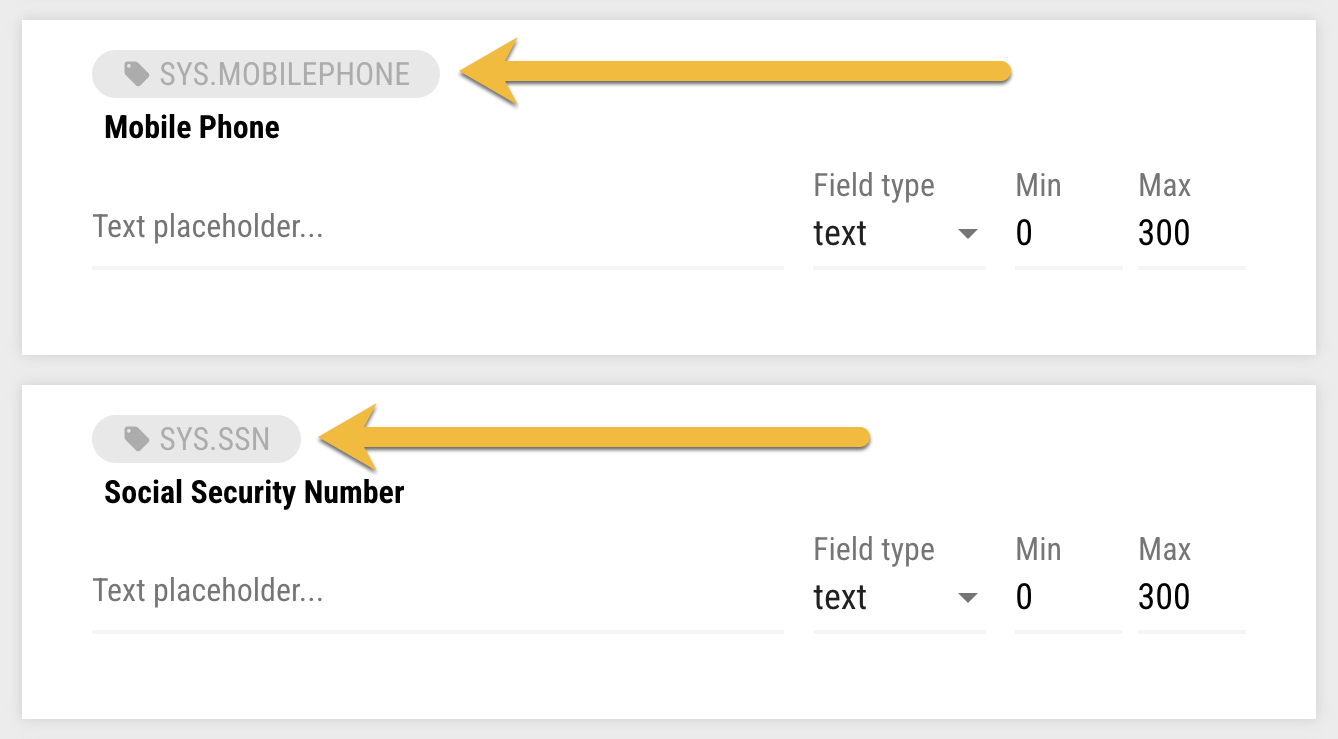
Example of data integration tags used for text box questions
Important
Each tag can only be used once per form. Otherwise, a patient's information wouldn't integrate properly between the form and Dentrix.
Watch the short video below to see how to add a Leap tag to a question so that it integrates with Dentrix.
Short demo of adding a tag to integrate the question with Dentrix
These are the tags available for you to use with Text Box questions:
sys.homephone
sys.mobilephone
sys.email
sys.addr.line1
sys.addr.line2
sys.addr.city
sys.addr.zip
sys.firstname
sys.lastname
sys.middleinitial
sys.preferredname
sys.dateofbirth
sys.ssn
sys.driverlicense
sys.toothnum (Only prefills from Dentrix )
Use sys.toothnum to prefill a Text Box question with Tooth Number(s) and/or Quadrant(s) that are already attached to procedures on the patient’s appointment. Unlike most tags that both prefill and write updates back to Dentrix , sys.toothnum is prefill-only; submitting the form will not update Dentrix. Patient or staff edits to this field won’t write back to Dentrix.
These are the tags available for you to use with Dropdown questions:
sys.addr.state
sys.gender
sys.maritalstatus